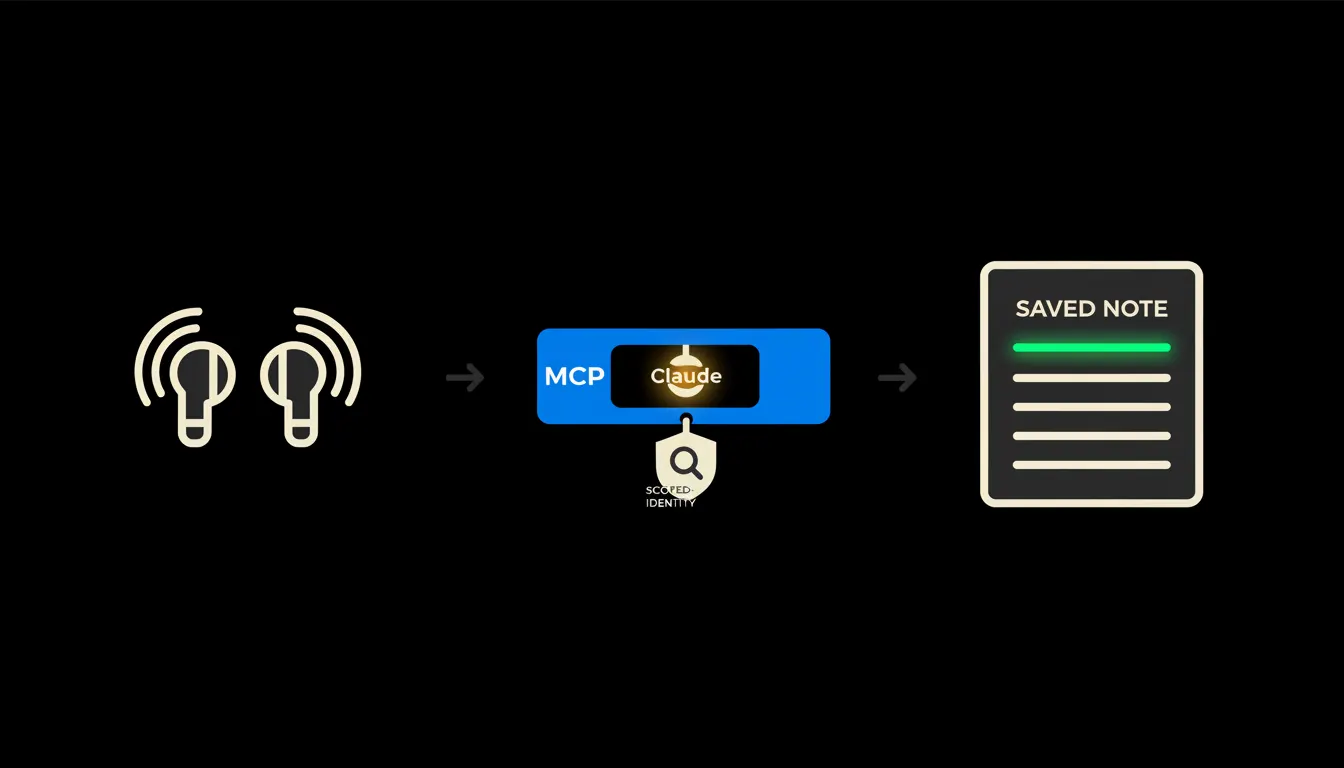
When someone searches for how to connect data to AirPods, they usually mean this: I dictate a note on the drive back and I want it to appear on the customer record in the CRM. But earbuds hold no company data and connect to nothing except the phone. What you can connect is what they leave behind, the transcribed text. And that text can be delivered exactly where the team looks for it.
The work nobody wants
A rep pulls out of the yard with three things in their head: the client wants different payment terms, a competitor quoted lower, and in June they move to a new warehouse. Phone out, said out loud, note recorded. So far so good.
The evening is worse. There are six notes, each about something else, and writing them into the CRM means sitting down, replaying them, deciding what matters and finding the right deal card. Usually it does not happen. The recording stays on the phone, the warehouse move is lost, and two months later nobody can find it. The data is not missing. The path from the phone to the system is.
Six meetings, six voice memos, zero entries in the CRM.
— A week in sales, abridged
What connecting earbuds actually means
AirPods are a microphone and a speaker. They have no database, no access to your CRM, and they never will. What they do have is the shortest route from a thought to text: press, say a sentence, the phone writes it down. Apple's dictation runs on the device itself for a number of languages, so the spoken sentence becomes text before it leaves the phone.
And there the chain stops. The text sits in Notes, in a voice memo, or in an email you sent to yourself. Connecting data starts here. We build a small MCP server, one bridge between that app and the system where the information belongs. Claude reads the note, works out from the calendar which meeting it came from, drafts the entry and files it in the right place. The bridge carries your identity, so it reaches exactly what you reach when you log in.
Concretely: a note from the car onto a deal card in Raynet
Nothing in the company changes. The CRM stays Raynet, the notes stay on the phone, the earbuds stay earbuds. One bridge is added. After a meeting the rep dictates two sentences, transcribes nothing in the evening, and in the morning there is an entry in the CRM waiting to be confirmed. For a team with five meetings a day that is, by estimate, tens of minutes a day that used to dissolve into retyping. An estimate, not a measurement.
- Takes the transcript and separates facts, commitments and tasks.
- Uses the name and time in the calendar to find the right company and the right deal.
- Files the meeting note and adds the next step with a date.
- Leaves anything the note does not settle as an open question in the draft.
- Sends nothing onward: the entry waits for your confirmation.
The same bridge works outside sales. A consultant who drives alone and bills by the hour can dictate what was agreed and how long it took, and Claude prepares the basis for an invoice in Pohoda plus a note on the client. That is an illustration, not a case study. The principle holds either way: the text is created on the road and the system receives it directly.
What connecting your earbuds will not do, and why that is good
It does not listen in the background. Recording happens when a person presses a button and deliberately says something. A system quietly following a whole meeting without the other side knowing is a legal and human problem, not a time saving.
And it invents nothing. If the note does not make clear whether the client committed to an order or was only considering it, Claude writes that down as a question and leaves it to you. A person confirms the entry, because the entry is a claim about reality and the forecast is built on it. That limit is exactly why the bridge can be trusted: it does not decide, it only shortens the distance between what you said and where it should be written.
What it would take
This is not a year-long project. We need to know two things: where the notes are created and which system they should land in. The bridge runs on your infrastructure, under your accounts, with your audit trail. The first version is deliberately narrow, one kind of note and one system, so that within a week you can see whether it fits the way people actually work.
What is left
The model is not the bottleneck. Turning three sentences into a readable meeting note is something Claude does today. The bottleneck is the gap between it and the data your company already has: the note on the phone, the calendar, the deal history, the price list. That gap is what we close.
If your phones are full of voice memos that never reached the CRM, write to us. Half an hour on a call is enough. You show us where the notes end up, and we will tell you whether the first bridge is worth building.