Mid-code-review, a developer opens a new tab, logs into Azure DevOps, clicks through to the right sprint, and checks whether the build passed. Then comes back. This cycle repeats maybe thirty or forty times a day. None of that time is work on the product. It is administration around work on the product.
The work nobody wants to do
Azure DevOps is a capable tool. Boards, Pipelines, Repos: everything in one place. The problem is not the tool. The problem is that context always lives elsewhere. A developer writes in an editor, communicates in chat, sprint planning runs in Boards, and build status is in Pipelines. Every transition between these places costs attention.
When the product owner asks at the end of standup 'where are we with US-417?', the developer does not answer from memory. They open a tab, click to the right sprint, find the work item, read the status, and report back. This information loop could be shorter.
Open tabs are not multitasking. They are translations between tools that were not talking to each other.
— Standup note, abridged
What an MCP server for Azure DevOps actually does
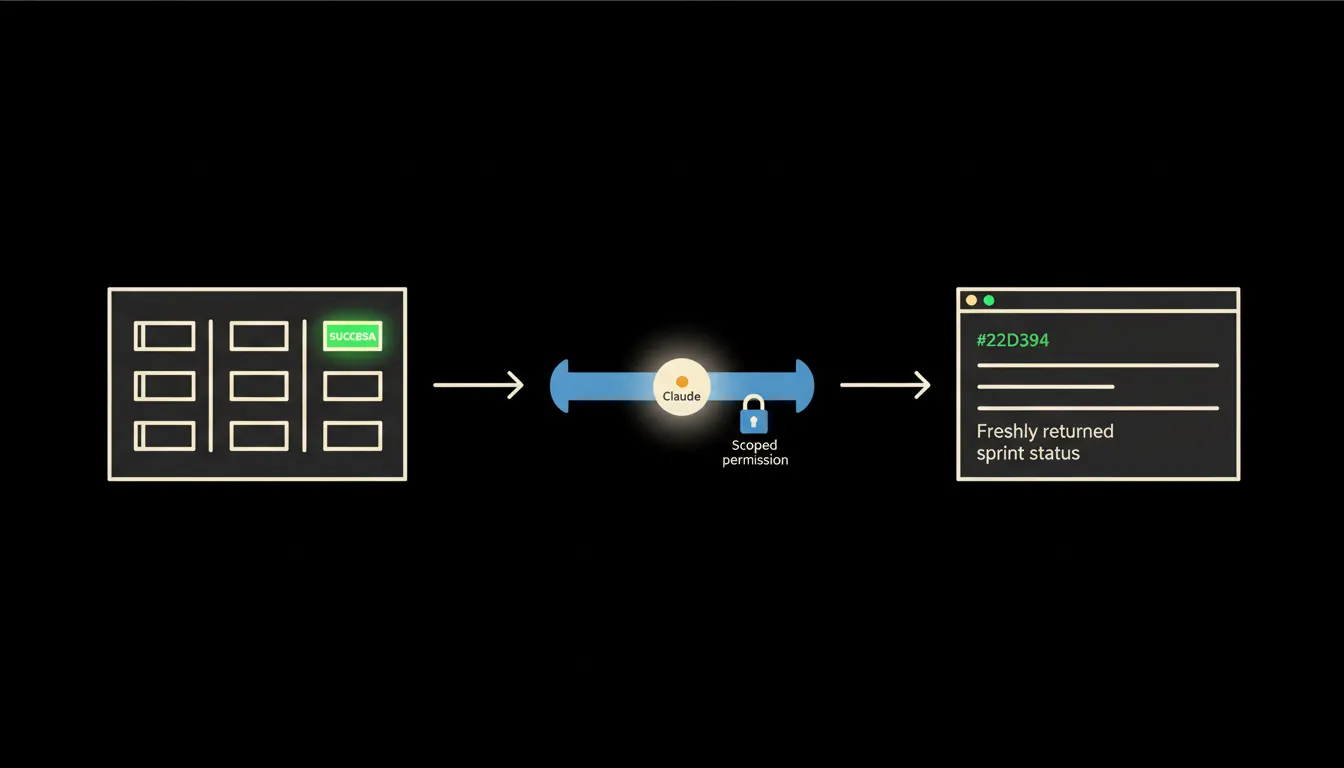
MCP (Model Context Protocol) is a standard that defines how Claude can call external tools. An MCP server for Azure DevOps is a small program running on your infrastructure that translates Claude's requests into Azure DevOps REST API calls. When Claude is asked 'which work items in the current sprint are blocked?', the server translates that into the right API endpoint, verifies your identity, and returns the answer. Claude gets structured data, not a screenshot.
The key is how the server carries identity. Each user has their own token with a limited scope they set themselves. The server does not use a shared service account. Claude therefore never sees more than the developer would see when they log into Azure DevOps in their own browser. That boundary is not a technical footnote. It is the reason the system is worth trusting.
Concretely: Azure DevOps Boards and Pipelines
Azure DevOps offers a REST API for work items, pipeline runs, and pull requests. An MCP server wraps these endpoints into simple tools Claude can call. The integration can be built incrementally: start with read-only access to Boards and Pipelines, add pull request context from Repos later if the team wants it. The original Azure DevOps portal stays exactly where it is. A new access layer is added on top.
- List all work items in the current sprint with their status and assigned person.
- Retrieve the status of the latest pipeline run for a specific branch or definition.
- Show open pull requests waiting for review from a specific team member.
- Summarise blocked items in the sprint with comments about the blockers.
- Give an overview of work item state changes in the last day for daily standup.
To put this in concrete terms: a team of five developers with a daily standup could receive a structured sprint status summary from Claude before the meeting, instead of clicking through Boards manually. Instead of five minutes of navigation: one question, one answer.
What Claude will not do in Azure DevOps, and why that is good
Read-only access is the default for a deliberate reason. Claude can read status, but the developer who has seen the code and understands the context approves the pull request. The person who carries responsibility for system stability triggers the production deployment. The product owner who knows the business context sets backlog priorities. The MCP server is an information bridge, not an automated operator.
Write operations are possible, but they require a conscious decision: the token scope must explicitly permit writes, and every call requires an explicit instruction from the user at that moment. No background automation. This is not a limitation of the system. It is a design that reflects how responsibility works in development teams.
What it takes in practice
The MCP server for Azure DevOps runs on your infrastructure, not ours. It is configured once: the URL of your Azure DevOps organisation, the scope of personal tokens for each team member, the list of tools you want to expose. No year-long project, no large rollout. Start with read-only access to Boards and add more tools when the team sees what works.
The gap is the bottleneck, not the model
Claude does not see your Azure DevOps data on its own. Not because it lacks capability, but because there is no path to reach it. An MCP server builds that path: one connection, identity-scoped, on your infrastructure, with an audit trail. From that point, a developer can ask about sprint status as naturally as they would ask a colleague.
If your team uses Azure DevOps and you want to know what an MCP server would concretely solve in your environment, write to us. A short call, no long brief required.