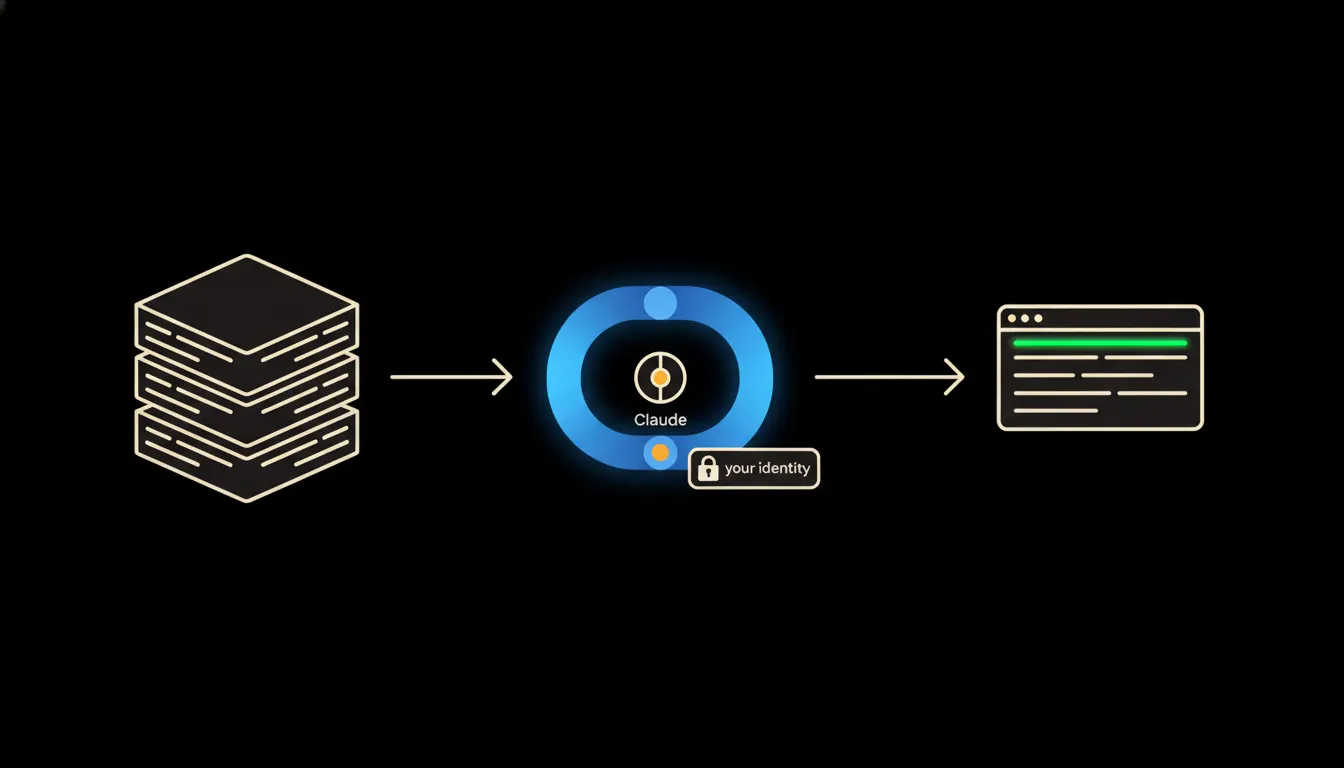
An MCP server for Claude is the answer to a question nearly every company asks when they start using Claude: why does it know nothing about our data? The answer is simple. Claude is a capable model, but without a connection to your systems it works blind. An MCP server provides that connection, securely, and under your own identity.
The work that goes nowhere
A company starts using Claude. Someone on the team wants to check outstanding invoices for a key customer. They open their accounting software, export the data to a spreadsheet, paste the table into the chat, and type the question. Claude answers. The next day, they do it all again.
Another colleague needs a summary of a sales opportunity. They open the CRM, manually copy the communication history, attach the latest proposal from Drive, and only then ask their question. Half an hour of preparation before the actual work begins. That is not integration. It is replacing one manual task with another.
The data is in the system. Claude just has no path to it. Exporting to chat is not a solution, it is a symptom of a missing bridge.
— Typical state before deploying an MCP server
What an MCP server actually does
MCP (Model Context Protocol) is an open protocol Anthropic released in November 2024. It defines precisely how Claude can communicate with external systems. An MCP server is a small, self-contained service that sits between Claude and one specific system, say an accounting tool or Google Drive. When Claude is asked "what invoices does customer Novak have outstanding?", the MCP server translates that into a query against the accounting system, receives the answer, and returns it to Claude.
The key detail: the MCP server does not send Claude passwords or direct database access. It carries your identity, the specific person who authenticated into that system. Claude then sees exactly what you would see after logging in yourself. Nothing more, nothing less. Data does not leave your system and does not travel into any shared vendor cache.
Concretely: accounting, CRM, file storage
Consider a company that uses one system for accounting and another for CRM. Today those two systems operate separately, and any question about a customer requires switching between applications and manually compiling information. After deploying MCP servers for both, a sales rep asks Claude a single question and gets a consolidated answer from both sources, without opening either application.
- Claude calls the accounting MCP server and retrieves invoice status and payment history for the customer.
- In parallel it calls the CRM MCP server and loads the communication history and open opportunities.
- It combines the results into a clear summary in natural language.
- The sales rep decides what to do next and takes the action directly in the systems using their own credentials.
For freelancers or smaller companies using cloud invoicing tools, the same pattern applies. Instead of scrolling through issued invoices by hand, a single question is enough. For companies on Google Workspace or Microsoft 365, Anthropic released reference MCP servers alongside the protocol itself.
What an MCP server will not do, and why that is good
An MCP server mediates access to data and allows Claude to perform precisely defined actions. It does not make decisions. A person approves and sends the invoice. A person signs the contract. A person hires or lets someone go. Claude can prepare a draft, summarise a history, flag an inconsistency, but the final step is always taken by a person, inside the system, using their own credentials.
This boundary is not a technical shortcoming to be removed later. It is intentional design. Companies that deploy AI without clear lines of responsibility quickly discover that hours saved are not worth the loss of visibility into what is happening inside the business. The MCP protocol preserves that accountability from the ground up.
What it takes in practice
Deploying an MCP server is not a year-long project. For systems with existing APIs, such as cloud invoicing, Google Drive, or most modern CRMs, it is a matter of days. For systems with more complex integration requirements, like legacy ERP or older internal databases, it takes longer, but the principle stays the same: one server per system, deployed on your infrastructure, with your audit log.
The model is not the problem. Access to data is.
Claude can read, write, analyse, and plan at a level that is more than sufficient for most business tasks. But without access to company data, it works with general information rather than your specific business. An MCP server is exactly the bridge that closes that gap.
If you want to know which of your systems could be connected first and what that would look like in practice, write to us. A short call is enough to get a clear picture.