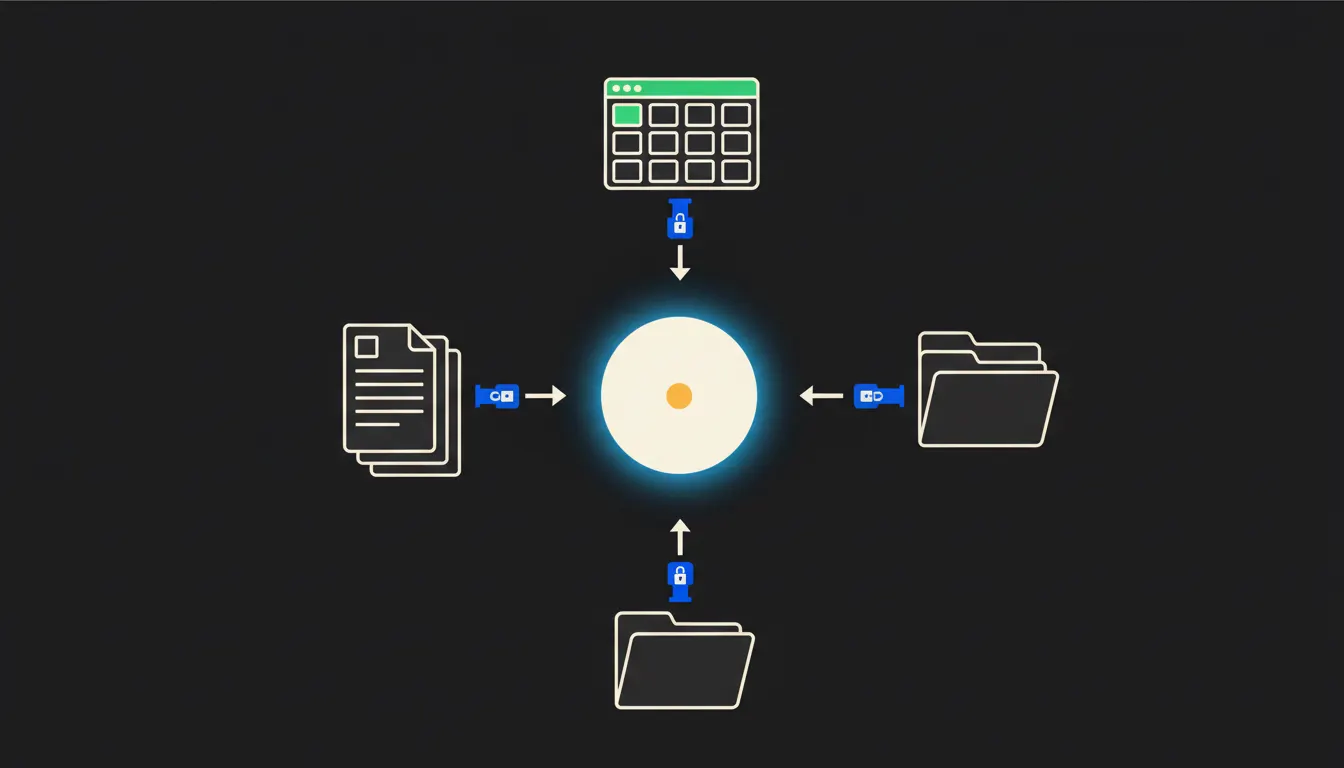
An AI assistant is easy to access today. The problem is that it knows nothing about your company. It does not know your projects, your clients, your internal workflows. It answers in generalities because generalities are all it has. A company AI assistant that actually helps works differently: it sees your specific data, under the identity of a specific person, on your own infrastructure.
Why a generic assistant is not enough
Imagine a CEO asking: "How is the Novak project going?" A generic AI assistant replies with a general lecture about project management. It does not know that Novak Ltd is your key client, that their Q1 invoice is waiting for approval, and that the last email from their commercial director went unanswered for three days.
This gap is not a flaw in the model. It is a connectivity problem. The model is capable, but blind to everything that lives in your systems. The data is in your accounting software, in your CRM, in Google Drive, in your email. The assistant cannot see it, so it cannot help.
"Buying access to AI is not the same as deploying a company assistant. The second requires connection."
— A lesson from early deployments, distilled into one sentence
What "company AI assistant" actually means
A company AI assistant is Claude connected to your systems via MCP servers. MCP (Model Context Protocol) is an open standard Anthropic released for structured connections between AI and external data sources. Each MCP server is a small, focused bridge: one for accounting, one for your CRM, one for document storage. Each bridge carries the identity of the person asking.
In practice: when a sales rep asks about a customer, Claude sees only what that rep can see. Nothing more. Accounting data the sales rep does not have access to remains hidden. The assistant has no privileged company-wide access: it works with the same permissions as the person at the keyboard.
In practice: Pohoda, Fakturoid, Drive
Consider a real Czech company with fifteen people. Accounting in Pohoda, contacts in Raynet, documents in Google Drive, invoicing in Fakturoid. The AI assistant connects to all four sources via four MCP servers. None of these tools are replaced or migrated: they keep working exactly as the company is used to. The assistant gains visibility through the bridges and can answer specific questions.
- A list of open invoices with due dates: Claude pulls data from Fakturoid and compiles the summary.
- A recap of the last three interactions with a given client: Claude searches the CRM and email.
- A draft response to a customer complaint: Claude uses the order history from Pohoda and templates from Drive.
- A quick project status before a meeting: Claude combines tasks, emails, and documents into one paragraph.
A fifteen-person company working this way stops spending time hunting for information before every meeting. A sales rep asks a question and gets a summary in thirty seconds. The CEO asks about Q2 status and gets an overview drawn from real company data, not from something the assistant invented.
What a company AI assistant will not do, and why that is good
The assistant will not sign a contract. It will not approve a purchase order. It will not hire someone. These actions stay with a person, by design. The model prepares the groundwork: a summary, a draft, a list of options. The decision always belongs to the employee.
This boundary is exactly the reason deployment makes sense for companies that have been cautious about AI. The assistant cannot commit the company without people knowing. An audit log records every question and every response. Management has a clear picture of what the assistant handles and for whom.
What it takes: how it gets built
This is not a year-long IT project. A basic infrastructure connecting Claude to two or three of the company's key systems takes weeks, not months. The platform runs on your own cloud infrastructure, not ours. None of your data flows through a third-party vendor cache.
Where to start
Start with one question: which pieces of information do your people look up manually most often? Project status, open invoices, last communication with a client? Those are the first bridges worth building. Others follow naturally as the company sees what the assistant can do.
Write to us. A short call is enough to understand which data your company already has and where to begin. You do not need an in-house IT team. You need to know what data you have, and to want it in the hands of an assistant that genuinely knows your business.