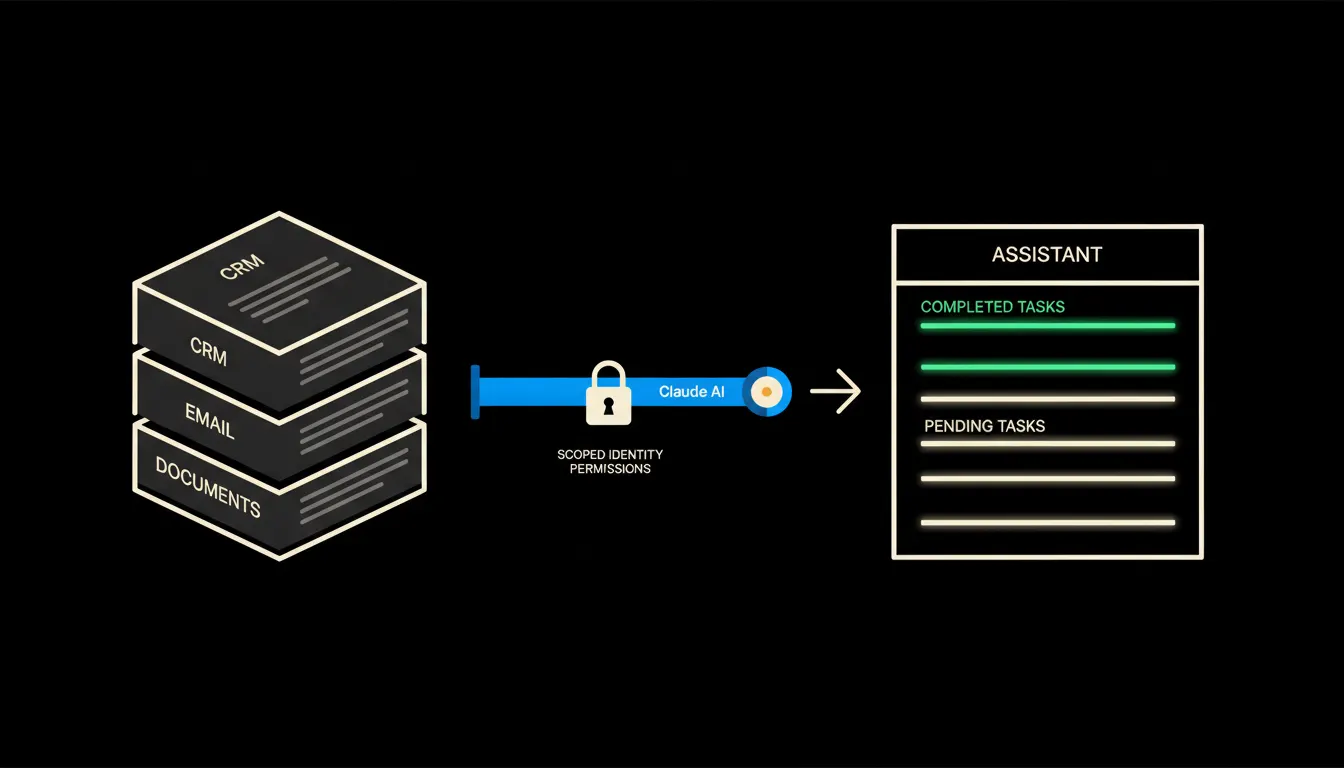
A personal AI assistant for a company is not just about having a chatbot to talk to. It is about opening one tool in the morning that already knows what is going on: which orders are waiting for a reply, what you promised a client yesterday, and which documents you need. Without you explaining the context every time. And without your company data leaving for a server you do not control.
The work that grinds down the day
Without integration, the day looks like this: CRM first, then email, then Drive, back to CRM, then an AI window where you retype everything by hand. Each tool knows its own slice. You are the one holding it all together in your head.
For a company owner, that means most of the day is spent switching and searching, not thinking. The order is in the CRM, the conversation is in Gmail, the proposal is somewhere in Drive. When did you last update it? What exactly did the client ask for? You are left answering these questions alone.
All this data already exists. It is just scattered across five places and nowhere is it together at once.
— Owner of a service company, conversation before deployment
What a personal AI assistant that knows the company actually means
A personal AI assistant in the AI stack sense is not an application. It is Claude connected to the systems you already use, through small focused MCP servers. Each MCP server carries your identity into one system. Claude sees only what you would see yourself if you opened that system.
The result: Claude knows which orders are in the CRM because it connects under your account. It can read your emails because it is authorised through your company Gmail. It can search documents in Drive because it has access under your identity. None of this leaves your infrastructure. No copy of your data goes to a foreign server.
Concretely: Raynet and Gmail as a foundation
Picture a company with twenty active orders in Raynet and a hundred unread emails a week. An MCP server for Raynet connects under your account and Claude can answer questions like: "Which clients have been waiting for a proposal for more than a week?" or "What were we last working on with Novak s.r.o.?" An MCP server for Gmail does the same with email. No data is copied into a new system. Raynet stays Raynet, Gmail stays Gmail.
- Claude searches order history and conversations under your login
- Answers questions from real data, not from general knowledge
- Drafts an email or reply based on the context of the order
- Flags when a client has been waiting for a response too long
- Everything stays on your infrastructure, nothing leaves
An owner of a comparably sized service company who tried this setup described it this way: every morning they ask Claude what to prioritise that week. Claude checks Raynet and Gmail and gives a concrete answer. No generic advice. No "it depends on the situation."
What a personal AI assistant does not do, and why that is a good thing
Claude does not make decisions for you. It does not send emails without your approval. It does not update orders in the CRM. It suggests, prepares, and answers questions. The final click is always yours.
That limitation is not a configuration flaw. It is the guarantee that accountability stays where it belongs. A company where AI sends emails without human review makes errors that belong to the AI. A company where a person gives final approval makes errors that belong to them, and can learn from them.
What it actually takes to set this up
This is not a year-long IT project. An MCP server for one system, say Raynet or Gmail, goes in within a day or two. Claude runs on your infrastructure, through your login to the system. No data needs to move. No new software to purchase.
You start with one connection. When that works, you add another. Gradually you end up with a personal assistant that knows your context, your history, and your priorities, and does not drain your data to a foreign server in the process.
The model is not the problem. The connection is
Claude is already a capable assistant. But without access to your specific data, it answers in generalities. With access to your CRM, email, and Drive, it answers specifically. The difference is not the model. The difference is what the model can see.
If you want to know what this would look like for your company, write to us. A short call is enough to show where to start and what can be built within a week.