Every sales rep knows it. The meeting ended well, the customer showed interest, and now it is time to open the CRM and log what was said. But that "log" takes time. Contact name, company, topic, agreed next step: every field by hand, from memory or from a half-written email open in another window. Eight minutes per contact, twenty contacts a week.
The work nobody wants to do
Retyping data between systems is not sales work. It is information logistics, moving text from one window to another. Yet it eats a noticeable part of the working day without anyone recording it. Time that could have been one more call, or a proper proposal.
The problem is not people, and it is not a bad CRM. The problem is the gap: the email client and the CRM are two separate systems. Information from one does not flow into the other on its own. So the sales rep becomes (unintentionally) an operator of data transfer.
Five minutes after the meeting I was still thinking about the customer. Then I opened the CRM and started retyping. By the time I finished, I had forgotten half the nuances.
— B2B SaaS sales rep, illustrative scene
What having a bridge actually means
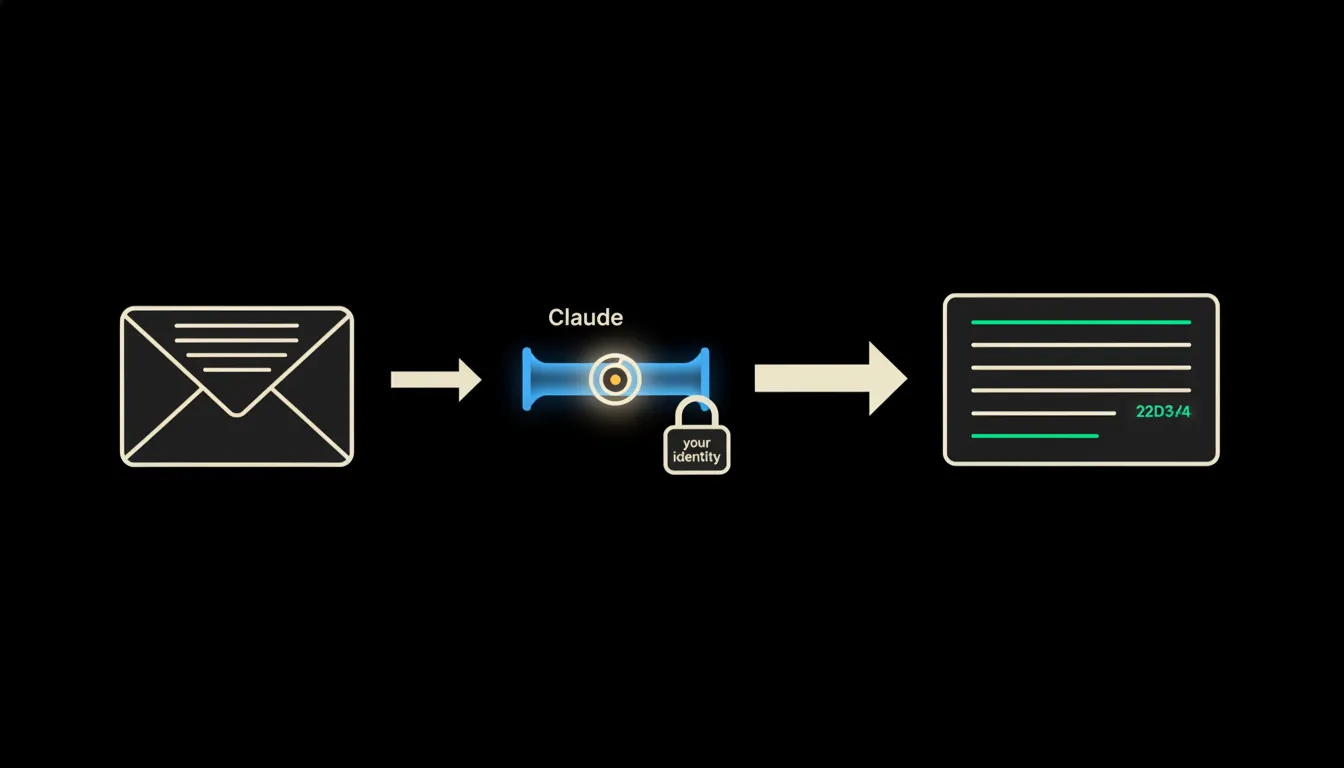
A bridge is not an integration in the old sense, a rigid pipe that moves exactly defined fields. It is a small MCP server that holds the permissions of a specific sales rep and uses them to access both the email inbox and the CRM record. Claude then reads the context of an email (subject, body, sender, thread history) and builds or updates the CRM record in the correct format.
The key word is "permissions." In this setup, Claude does not see more than the sales rep sees. It cannot read a colleague's emails. It cannot write to a customer record the rep has no access to. Identity (and with it the scope of what the bridge is allowed to do) travels through the entire flow.
Concretely: Pipedrive or HubSpot with company Gmail
Pipedrive and HubSpot are common choices for sales teams of 10 to 50 people. Gmail or Microsoft 365 is what nearly everyone uses. The bridge between them works like this: a sales rep sends or receives an email whose context belongs to an existing deal. The MCP server, carrying their identity, loads the thread; Claude identifies the relevant information (contact name, deal stage, agreed date, any pricing reference) and fills it into the right opportunity in the CRM. If the opportunity does not exist yet, Claude proposes creating it. The rep reviews the draft and confirms.
- Match the contact from the email address and update the existing CRM record.
- Extract the agreed next step (deadline, action) and log it as an Activity or Task.
- Update the deal stage based on email content (enquiry → discussion → proposal).
- Save a summary of the email thread as an internal note on the opportunity.
- Propose a new record if the sender does not yet exist in the CRM.
Illustrative example: a sales rep at a Prague IT firm receives a reply to a proposal from a customer in Brno. The email is part of a thread that has been running for three weeks. The bridge recognises this as a response to a specific offer, updates the deal stage in Pipedrive to "Negotiation," and writes a note with the key points of the reply. The whole thing takes seconds. The rep opens the CRM and the record is already there: current, readable, no shorthand from memory.
What AI email-to-CRM will not do, and why that is a good thing
The bridge does not close the deal. It does not decide whether the customer looks credible, whether the proposed price is appropriate, or whether it is time to escalate to management. These things require context, experience, and accountability, and those stay with the sales rep.
Deliberately. The more precisely the bridge's job is defined, the more trust it deserves. A system that "sort of decides" is difficult to control. A system that moves data precisely and waits for confirmation is one you can trust, and one whose mistakes are easy to correct.
What it would take
The bridge runs on your infrastructure, in your cloud or on-premise server. No data passes through an external party that could use it for training. The MCP server carries a specific rep's identity and accesses exactly the systems that person has access to.
What is left
The model is not the bottleneck. Claude can read an email and build a CRM record. That is not a problem waiting for better AI. The bottleneck is the gap: the email client and the CRM are separate systems, and information moves between them by hand, losing context and time at every step.
That gap is what we close. Write to us. A short call is enough to find out which CRM you use and what your email flow looks like. More often than not, the bridge can be running sooner than anyone would expect.